Once the mappings are approved for coding, you can export the mappings as coding requirements in the XML format.
To export mapping specifications into proprietary XML format, follow these steps:
- Go to Application Menu > Data Catalog > Mapping Manager.
- In the Workspace Mappings pane, click a right-click a project.

- Click Export Mapping Manager XML.
The Export Mapping Manager XML page appears.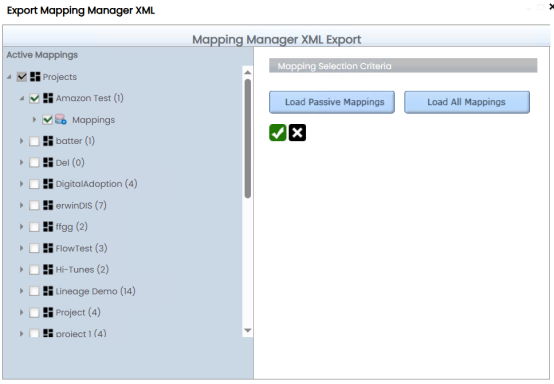
- Select required projects or mapping and click
 .
.
The maps are exported and downloaded as a ZIP file. Unzip this file to use the mapping specification in the XML format. - Click the Download file hyperlink.
A ZIP file is downloaded. Unzip this file to use the mapping specification in the XML format.
|
Copyright © 2026 Quest Software Inc. |